GodotSteamKit Tutorials - Leaderboards
This tutorial will cover the basics of using the Steam Leaderboards custom scene from the GodotSteamKit.
Usage
leaderboard.tscn
This is the main leaderboard scene that may require a few changes depending on how you want the leaderboards to work. By default, users can select which leaderboard, which ones (global or just friends), and how they are sorted.
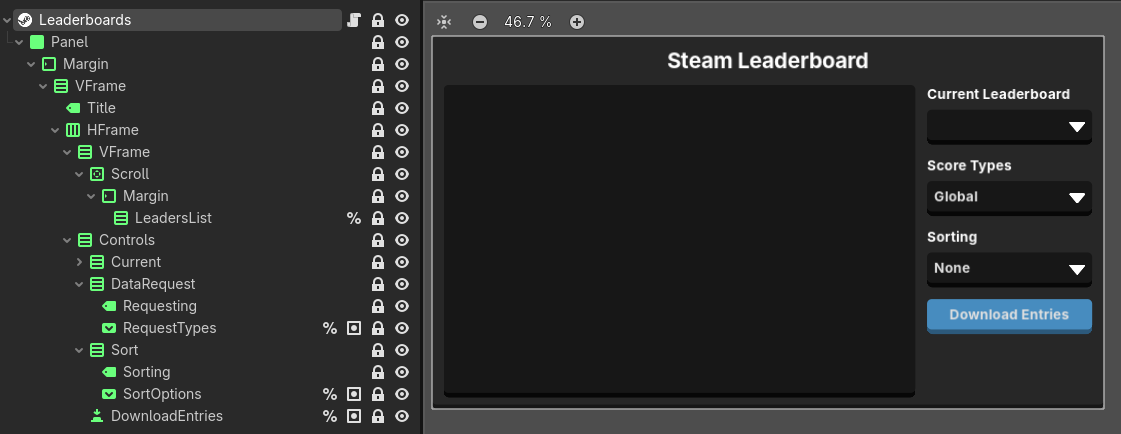
There are some properties you can set to change this behavior such as download_at_ready, which will automatically download the first listed leaderboard once the scene is ready, and download_on_select, which just requests a new list of leaderboard entries any time a dropdown option is selected.
Alternatively, this scene could be altered to just have "previous" and "next" navigation that just increments through the list of API names or handles.
Speaking of and most importantly, you must fill out the leaderboard_api_names property with all the API names you set for your leaderboards in the Steamworks back-end. This is how the scene tracks and sets the handles that are used for getting or setting scores. You will find this property on line 35.
leaderboard_entry.tscn
These are instantiated when leaderboard results have been received and contain both the Steam Avatar and Steam Username custom nodes.

If UGC is attached to this leaderboard entry, the UGC button will appear. There is currently no functionality for the details_array data since it can vary so greatly as to what it is being used for.
leaderboard_ugc.tscn
When the UGC button from the leaderboard entry scene is pressed, it will instantiate this overlay scene which displays your UGC image.
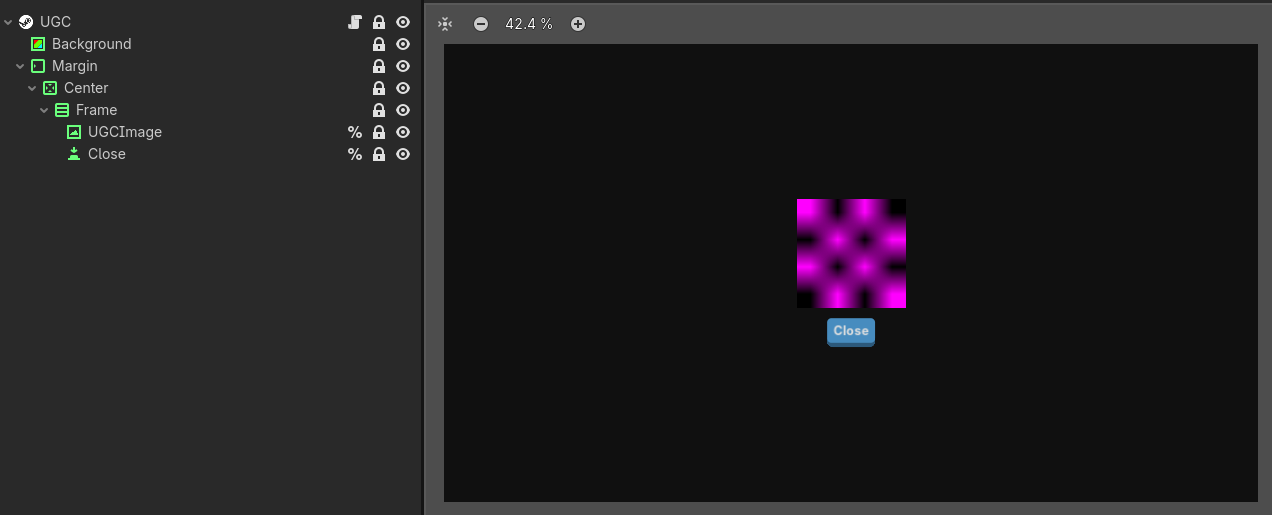
If you want to use something like video clips or other file types, you will want to substantially alter this scene and the leaderboard upload script. Closing this overlay will delete the local copy of the UGC content so it does not clutter your users' system.
leaderboard_upload.gd
This helper script is not attached to any specific scene and can be used where ever to upload new scores to your leaderboards as well as attach UGC to them. You may want to read about uploading UGC with GodotSteam in our leaderboards tutorial before using this feature.
The UGC method used in this script is the Remote Storage version. You will want to set your ugc_path property to the place you want the UGC content to be stored for the uploading process. Additionally, you may want to change the delete_after_upload property to true if you want to have the script automatically delete the local copy after the UGC has been uploaded and shared.
Other than that, the only function call to make with this script is the upload_score which takes the following arguments:
- leaderboard_handle - The leaderboard we are updating. Saving the current_leaderboard_handles property from the leaderboard scene somewhere so it can be used here would be optimal.
- new_score - The new score to update this leaderboard with.
- keeping_best - Whether you want to keep the best score or replace it with new_score.
- detail_array - Optional. Read more about this in the leaderboard tutorial.
- ugc_content - Optional. This is the complete filename of your UGC content, including extension.
Properties
The following properties belong to the main leaderboard scene.
download_at_ready
This controls whether or not to download the first leaderboard when the scene is ready.
download_on_select
This controls whether or not a download button will display for users to manually update the leaderboards or to automatically download new leaderboards when any dropdown selection changes.
download_rank_end
The last index to retrieve entries for; relative to the request type.
download_rank_start
The first index to retrieve entries for; relative to the request type.
has_ugc_attached
Whether or not the leaderboard entries contain UGC that needs downloaded. This currently affects all leaderboards. It is also optional as you could just check to see if UGC was attached to the given leaderboard handle when updating.
leaderboard_api_names
A dictionary of Steam leaderboard API names and the full name or community title. These will be used to populate the leaderboard dropdown.
leaderboard_details_max
The maximum amount of extra details to retrieve per leaderobard. This only works if you are storing additional details. You can read more about them in our leaderboard tutorial.
ugc_path
Only used if you are attaching UGC. This path seemed like the easier place to temporarily stash UGC content.